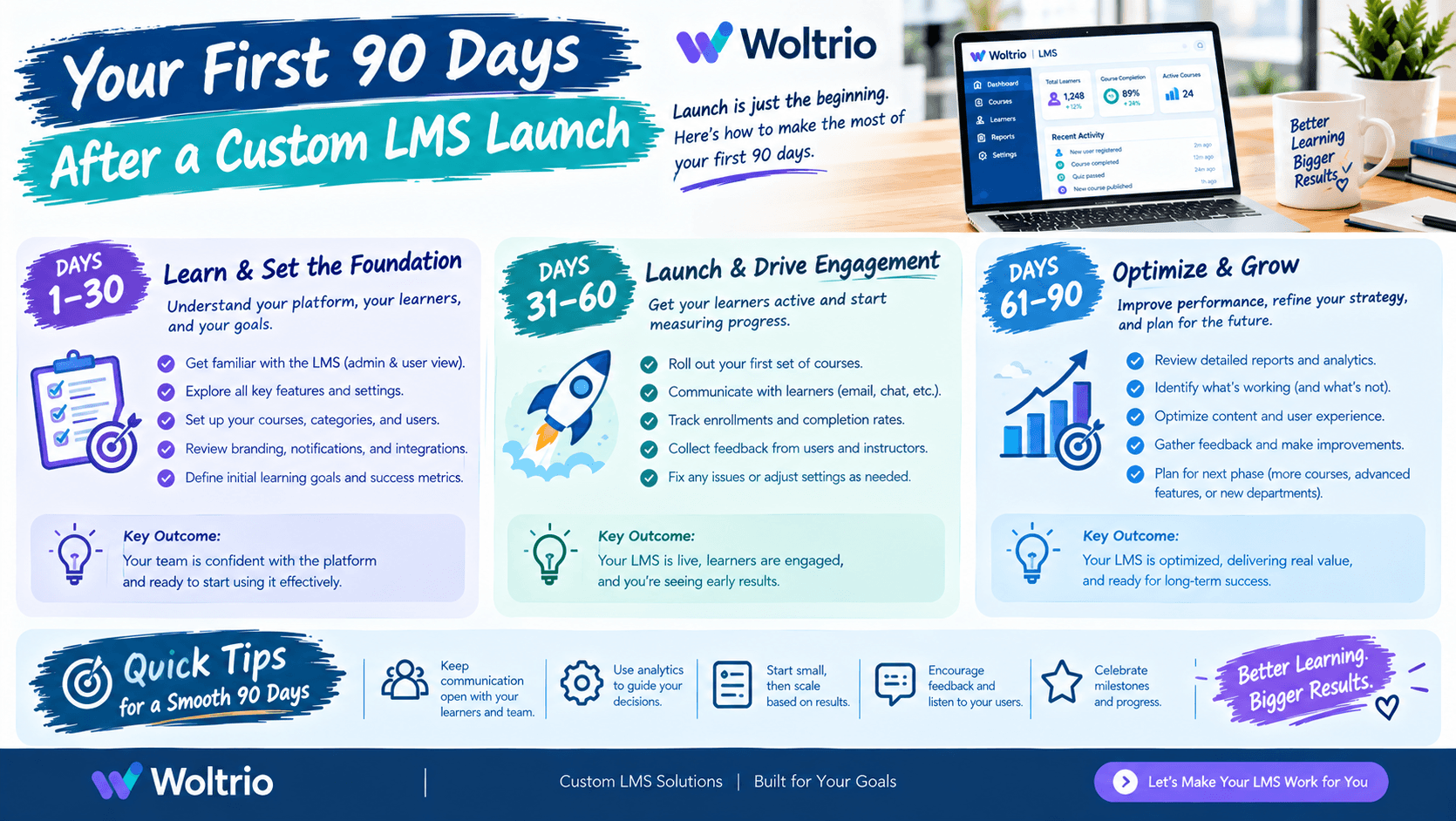
Most guides stop at launch. That is a mistake, because the first 90 days decide whether a custom learning management system becomes part of daily work or something staff quietly avoid. This roadmap breaks the period into four phases, each with a clear goal and a short checklist.
Days 1 to 7: Launch Week
Goal: Keep early friction low and catch problems fast.
The first week is not the time for new features. It is the time to listen. Staff will hit login issues, confusing screens, and missing assignments, and how quickly you respond shapes their trust in the system.
Name one person as the visible point of contact for questions
Check that single sign-on and HR sync work for every role, not just the pilot group
Review assignments for a sample of new and existing staff to confirm they are correct
Log every issue in one shared list, with an owner and a status
Woltrio stays involved through this stage of every custom LMS development project, since real use always surfaces things testing did not.
Days 8 to 30: Stabilize
Goal: Fix the common problems and confirm the foundation.
By now patterns appear. The same three questions keep coming up, or one department struggles while others do fine. This is the phase for repairs, not expansion.
Sort the issue list into layers: identity, data sync, assignment logic, reporting, interface
Fix sync and assignment errors first, since they cause the most downstream confusion
Review the first compliance report produced by the system against a manual check
Hold short feedback sessions with a handful of frontline learners
Interface complaints deserve special attention. If several people stumble on the same screen, that is a design signal. Woltrio’s UI/UX design team treats post launch learner feedback as input for the next round of improvements.
Days 31 to 60: Tune
Goal: Make the system quietly reliable.
With the basics stable, shift to refinement. This is where automation earns its place, because you now have real data on where people forget, stall, or miss deadlines.
Adjust reminder timing based on when people actually complete training
Add escalation to managers for overdue items in the highest risk categories
Confirm that role changes and course updates trigger the right reassignments automatically
Check certification renewal dates for the next 90 days and make sure alerts are set
Scoped AI and automation works best at this point, because it is tuned to real behavior rather than guesses made before launch.
Days 61 to 90: Expand and Prove
Goal: Extend what works and show the results.
Now you can widen the rollout or add the next workflow with confidence. If the first phase covered one department or location, this is the moment to extend it. Many teams treat the next workflow as a fresh MVP development cycle, proving it on a small group before wider release.
Roll out to the next department or location using the same checklist
Compare your 90 day numbers against the pre launch baseline
Report results to leadership in plain terms: time saved, lapses avoided, reports produced faster
Write down what you would change, while it is still fresh
A One Page Roadmap
PhaseFocusMain OutputDays 1 to 7Support and listeningClean issue list, trusted point of contactDays 8 to 30Fix and confirmStable sync, verified assignments, first checked reportDays 31 to 60Automate and tuneReminders, escalations, renewal alerts setDays 61 to 90Expand and proveWider rollout, results summary for leadership
Common Mistakes in the First 90 Days
Adding features too soon. New functions in week two bury the real problems.
Treating silence as success. Staff who quietly avoid the system do not file tickets. Check completion data, not just complaints.
Skipping the manual report check. Compare the first system generated compliance report against a manual one at least once.
Letting the issue list go stale. An untracked problem becomes a workaround, and workarounds are how the old system’s habits return.
Keep Security Review on the Calendar
Staff change roles, new tools get connected, and access needs shift. Schedule a review of permissions, audit trails, and encryption settings at the 90 day mark. Woltrio builds HIPAA, SOC 2, and GDPR requirements, where relevant, into the architecture from the start, and a regular review keeps them accurate over time.
Quick Answers
Launch week should focus on support and listening, not new features.
Days 8 to 30 are for fixing sync, assignment, and interface problems.
Days 31 to 60 are the right time to tune reminders and automation using real behavior.
Days 61 to 90 are for expanding the rollout and proving results against your baseline.
Silence is not success, so check completion data instead of waiting for complaints.
Common Questions
How long should we wait before adding new features after launch?
Wait until the foundation is stable, usually after the first 30 days. Early features can hide the real problems.
Who should own the post launch issue list?
One named person, usually from the training team, with IT and compliance contacts assigned to their own categories.
When is it time to expand the rollout?
When sync and assignments are reliable, the first compliance report checks out, and learner feedback has settled.
Next Step
A discovery conversation through the Woltrio homepage is a practical way to plan the post launch roadmap before development even begins.