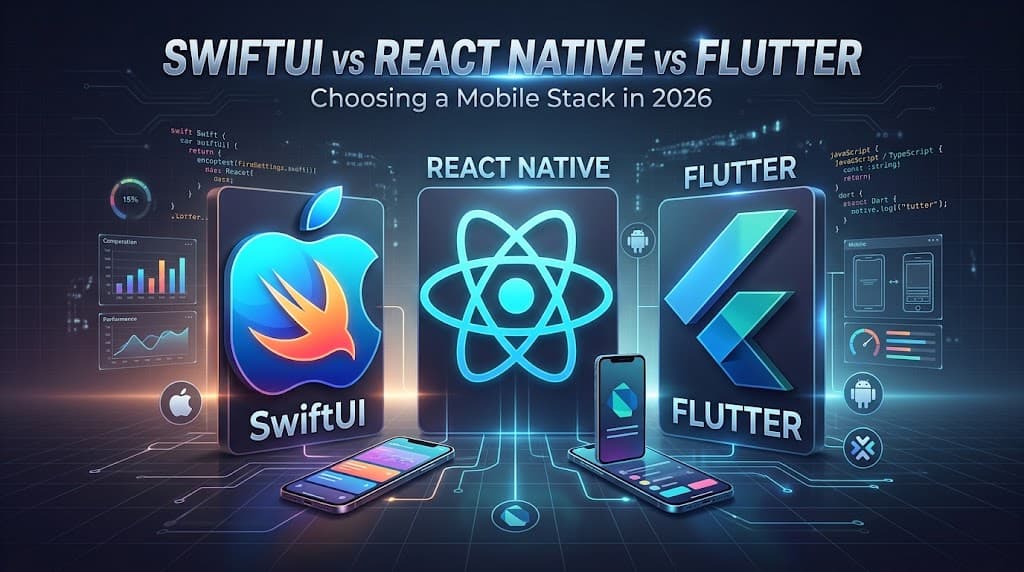
Choosing a mobile stack used to be a simple trade: native for performance, cross-platform for speed and cost. In 2026 that trade looks very different. Apple, Meta and Google have each rebuilt the core of their frameworks over the last two years. Swift 6 made concurrency safe by default, React Native replaced its old bridge with a new architecture, and Flutter swapped its rendering engine for Impeller.
The result is that the performance gap for everyday business apps is smaller than it has ever been. The real decision now comes down to four things: which platforms you need, what your team already knows, how deeply the app depends on device hardware, and how quickly you need to ship fixes. This guide walks through each stack, what changed, what the numbers look like, and how to choose.
The Three Stacks at a Glance
| Feature | SwiftUI (Apple) | Flutter (Google) | React Native (Meta) |
|---|---|---|---|
| Language | Swift | Dart | JavaScript / TypeScript |
| Platforms | Apple only (iOS, iPadOS, macOS, watchOS, visionOS) | iOS, Android, web, desktop | iOS, Android |
| Performance | Highest: native code, no runtime engine | Near-native: ahead-of-time compiled Dart | Good: small JavaScript runtime overhead |
| UI components | Real Apple system components | Draws its own pixels with the Impeller engine | Maps to real native components through Fabric |
| New Apple APIs | Available on day one | Need platform channels or plugins | Need native modules or community packages |
| App size | Smallest | Largest (engine adds a few MB) | Medium (includes the Hermes runtime) |
Native iOS: SwiftUI and Swift 6
Native development with Swift and SwiftUI is still the benchmark for apps that need every bit of device performance, predictable memory use and immediate access to new Apple features. SwiftUI compiles straight to machine code with no bridge in between. The cost is reach: the app only runs on Apple devices, and an Android version means building it again in Kotlin or Jetpack Compose. If you are weighing this route, our iOS app development team can walk you through the trade-offs.
Swift 6 makes concurrency safe by default
For more than a decade, background work on iOS ran on Grand Central Dispatch (GCD). It worked, but it led to deeply nested callbacks that were hard to read and harder to debug. It also fit poorly with SwiftUI's reactive model: data races, threading bugs and tasks that kept running after a user had already left the screen were common.
Swift 6 addresses this with strict concurrency checking at compile time:
Actors isolate shared, changing data so two threads cannot write to it at once.
async/await replaces completion handlers, so asynchronous code reads top to bottom like normal code.
The main actor guarantees UI updates happen on the main thread without manual thread hopping.
Continuations wrap older callback-based SDKs so legacy integrations get the same safety.
The practical effect: many race conditions that used to appear as random crashes in production now fail the build instead.
Lean memory and fast startup
Swift manages memory with Automatic Reference Counting (ARC), which frees an object the moment nothing references it. There is no garbage collector that pauses the app at unpredictable times, as there is in the Dart and JavaScript runtimes.
That matters more than it sounds. iOS and Android both kill background apps that hold too much memory. An app with a small idle footprint survives in the background longer, so users get more instant "warm" resumes instead of full restarts. Native apps also start fastest, because there is no engine to load before the first frame. For keyboard extensions, camera-first apps, widgets and other system-level features, that difference makes native the only realistic option.
On-device AI and day-one Apple features
The biggest gap between native and cross-platform in 2026 is artificial intelligence. With iOS 26 and Xcode 26, Apple's Foundation Models framework gives Swift developers direct access to the on-device model behind Apple Intelligence. App Intents let an app expose its content and actions to Siri, Spotlight and Shortcuts, so users can find and act on in-app data without the developer training any language model.
Native apps get these capabilities, along with new HealthKit, ARKit and Core ML features, the day Apple ships them. Cross-platform apps usually wait for a community plugin or write their own native wrapper first.
React Native in 2026: The New Architecture
React Native, maintained by Meta, spent several years rebuilding its foundations. The New Architecture became the default in React Native 0.76 in late 2024, and it has closed most of the performance gap with native for typical business apps. Its biggest advantage is unchanged: teams with web and React experience can ship to iOS and Android from one codebase, backed by one of the largest package ecosystems in mobile.
No more bridge: the JavaScript Interface (JSI)
The old React Native ran JavaScript and native code in separate worlds. Every interaction, whether a tap, a network response or a scroll event, was converted to JSON, queued, sent across threads and decoded on the other side. Under heavy traffic this "bridge" caused dropped frames and laggy input.
The New Architecture removes the bridge entirely. JSI is a lightweight C++ layer that lets JavaScript hold direct references to native objects and call native methods synchronously. With no serialization and no message queue, calls between JavaScript and native code are close to native speed.
Fabric: a faster, concurrent renderer
Fabric is React Native's new rendering system. It keeps a shared C++ tree in sync with your React components and updates the screen in three steps: render, commit (where layout is calculated) and mount (where only the changes are applied to the real native views).
Because Fabric can measure layout before the first frame is drawn, the layout "jumps" that older React Native apps were known for are gone. It also supports React 18 features such as Suspense, transitions and automatic batching. And because React Native still renders real UIView and Android View components, apps use genuine platform navigation, inputs and gestures rather than an imitation.
TurboModules, Codegen and Nitro Modules
TurboModules load native features such as the camera, Bluetooth or location only when they are first used, instead of all at startup. That shortens cold starts.
Codegen generates type-safe native interfaces from TypeScript definitions, catching a whole class of errors at build time.
Nitro Modules, a community toolkit, provide statically compiled JSI bindings for writing very fast, type-safe native modules.
Why companies choose it
JavaScript is the most widely used programming language, so React Native lets companies use their existing web engineers for mobile. One codebase ships to both stores at the same time, which typically cuts time to market by 30 to 50 percent compared with building two native apps in sequence.
Large companies have bet on it. Shopify moved its flagship apps to React Native and built FlashList v2 for the New Architecture to make long, fast-scrolling lists smooth. Coinbase consolidated a fragmented native codebase into React Native to move faster with a single team. Facebook, Instagram and Discord all run React Native in production. We used it ourselves to build Nerihya, a hyperlocal handyperson marketplace, shipped to iOS and Android in two months.
Flutter and Impeller: Consistent Rendering Everywhere
Flutter takes the opposite approach to React Native. Instead of using native UI components, it draws every pixel itself through its own rendering engine. The app looks identical on every device and is insulated from manufacturer-specific UI bugs. In 2026 the Flutter story is about Impeller, the engine that made that approach smooth.
The problem Impeller solved
Flutter's previous engine, Skia, compiled graphics shaders while the app was running. The first time a user saw a new animation or transition, compiling the shader could take far longer than the roughly 16 milliseconds available per frame at 60 frames per second. The result was a visible stutter, known as shader compilation jank, that made otherwise polished apps feel cheap.
How Impeller works
Impeller moves all of that work to build time. Shaders are compiled ahead of time into Metal on iOS and Vulkan on Android, and packaged with the app. Nothing is compiled while the user is waiting, so animations are smooth from the very first frame. Impeller also renders directly on the GPU, which keeps frame times steady under load and lets Flutter hold 120 frames per second on high-refresh-rate screens. That makes it a strong choice for animation-heavy apps.
The trade-off: Flutter does not inherit the platform
Flutter compiles Dart ahead of time into native ARM code, so it is fast, predictable and hard to reverse-engineer. But drawing its own UI has a cost.
Accessibility: React Native inherits VoiceOver and TalkBack behavior from real native components. Flutter has to build its own parallel semantics tree so screen readers understand what is on screen.
Platform updates: when iOS changes scroll physics, text input or font rendering, React Native apps pick that up automatically. Flutter apps keep the old behavior until the Flutter engine is updated, which can feel slightly "off" to iOS purists.
New hardware APIs: using a new or niche iOS feature means writing a platform channel, so Flutter apps tend to adopt new Apple features later.
Even so, Flutter is widely used for heavily branded, animation-rich products. BMW, Toyota, Alibaba and Google Pay all use it to deliver one consistent experience across phones and, in some cases, in-car screens. We looked at the career side of this question in Is Flutter still worth learning in 2026?
Shipping Fixes Without Waiting for App Store Review
Being able to push a fix straight to users, without a multi-day store review, is a big operational advantage. Both cross-platform frameworks can now do it, in different ways. In both cases only app logic can change over the air: anything touching native Swift, Kotlin or new permissions still needs a full store release.
React Native: swapping the JavaScript bundle
A React Native app's logic lives in a JavaScript bundle run by the Hermes engine, so updating it is close to replacing a file. Microsoft retired App Center CodePush in March 2025, and most teams have moved to Expo's EAS Update. If a bug reaches production in a payment flow, the team can merge a fix and publish a new bundle; users download it in the background and get the fix on their next launch.
Flutter: Shorebird
Flutter used to make this impossible, because Dart is compiled into the app binary with no interpreter to load new code. Shorebird changes that. It ships a modified Flutter engine that can apply small binary patches to the compiled Dart code. When the team publishes a patch, Shorebird calculates the difference from the released version and serves it through a CDN. The app downloads the patch in the background at startup and runs the updated logic on the next launch. Staged rollouts, rollbacks and CI integration with GitHub Actions and Codemagic are supported, which gives Flutter teams the same incident response that React Native teams have had for years.
| Tool | Framework | How it works | Best for |
|---|---|---|---|
| Expo EAS Update | React Native | Replaces the JavaScript bundle | The standard OTA option for React Native since App Center's retirement |
| Shorebird | Flutter | Patches compiled Dart code with binary diffs | Real code fixes for Flutter apps without a store release |
| Firebase Remote Config | Any | Remote key-value settings | Turning features on or off; cannot ship new code |
| LaunchDarkly | Any | Advanced feature flags | Gradual rollouts, A/B tests and user targeting |
Performance: What the Numbers Say
The figures below are indicative 2026 results for release builds on recent flagship phones (for example iPhone 15-class and Snapdragon flagship devices). Treat them as a guide to the relative order rather than exact targets: real numbers depend heavily on your app, its dependencies and how it is built.
Cold start
| Framework | Cold start (iOS) | Cold start (Android) | Why |
|---|---|---|---|
| SwiftUI | ~620 ms | n/a | No engine to load |
| Flutter (Impeller) | ~640 ms | ~680 ms | Starts the Dart runtime first |
| React Native (New Architecture) | ~910 ms | ~950 ms | Starts Hermes and loads the JavaScript bundle |
Native starts fastest. Flutter is close behind and ahead of React Native, whose extra startup time comes from loading the JavaScript environment, though TurboModules have narrowed the gap considerably.
Smoothness under load
| Framework | Sustained frame rate | Dropped frames (average) |
|---|---|---|
| SwiftUI | 120 fps | ~1.9% |
| Flutter (Impeller) | 110–120 fps | ~2.5% |
| React Native (Fabric) | 95–115 fps | ~4.8% |
In image-heavy feeds, complex gestures and chart animations at 120 Hz, Flutter keeps pace with native. React Native is much better than it was, but can still drop the occasional frame when garbage collection, image decoding and re-renders all hit the JavaScript thread at once.
Memory and battery
| Framework | Peak memory (10-minute session) | Battery drain (20 minutes of active use) | Risk of being killed in background |
|---|---|---|---|
| SwiftUI | ~312 MB | ~6.1% | Lowest |
| React Native | ~448 MB | ~7.9% | Moderate |
| Flutter | ~460 MB | ~7.5% | Moderate |
Native wins on memory and battery. Flutter carries its engine, Dart runtime and font and internationalization assets; React Native carries Hermes and Fabric's shadow tree. For apps that handle large datasets or must keep running in the background, that headroom matters. App size follows the same pattern, although once real dependencies such as maps, images and authentication are added, the difference between the three shrinks.
The Rest of the Modern Mobile Stack
The framework is only part of the decision. Most 2026 apps also standardize on:
Backend: Firebase for deep Google Cloud integration, or Supabase for a PostgreSQL foundation, row-level security and more predictable pricing.
Analytics: Mixpanel for fast answers without SQL, or Amplitude for deeper governance and large-scale experimentation.
Crash reporting: Sentry for cross-platform visibility and AI-assisted root cause analysis, or Crashlytics, which is free and built into Firebase.
Testing is changing too. Traditional tools such as Appium, Espresso and XCUITest find elements by ID or XPath, so tests break whenever the UI changes. A newer group of visual, AI-driven testing tools checks the app the way a person sees it. Because they do not depend on the view hierarchy, the same tests work across SwiftUI, React Native and Flutter, can repair themselves when layouts shift, and can be written in plain language by product managers and designers.
How to Choose
There is rarely one right answer. Match the framework to the product's real constraints.
1. Which platforms do you need?
If you are building for Apple only, SwiftUI is the clear choice: it covers iPhone, iPad, Apple Watch, Mac and Vision Pro with the best performance and battery life. If you need iOS and Android at launch, a cross-platform framework usually makes more sense, because building two native apps one after the other roughly doubles the timeline and creates ongoing feature-parity work. Building with React Native typically costs 30 to 50 percent less than maintaining separate native apps. Our cross-platform app development page covers how we scope these projects.
2. What does your team already know?
Choose React Native if your team already works in JavaScript, TypeScript or React. You can share business logic, API clients, authentication and state management between your web app and your mobile apps.
Choose Flutter for a new product with a strongly branded, custom interface. Dart has a learning curve and a smaller hiring pool, but the pixel-perfect consistency is worth it for design-led teams.
3. How much does the app depend on hardware?
Choose SwiftUI for heavy use of HealthKit, continuous background location, Core ML, ARKit, on-device AI, real-time camera processing or hardware-backed encryption.
Choose Flutter for animation-heavy experiences: games, educational apps with rich transitions, or finance dashboards with custom charts.
Choose React Native for content and data apps, internal productivity tools and e-commerce, where a native look and feel matters and standard features such as camera, Bluetooth and biometrics are covered by existing packages.
Conclusion
In 2026 the old criticisms of cross-platform development, such as bridge lag, janky animations and slow rendering, have largely been fixed. React Native's New Architecture and Flutter's Impeller engine have closed most of the gap for everyday business apps. Native Swift and SwiftUI remain unmatched for memory efficiency, battery life, deep hardware access and on-device AI.
So the decision is less about raw speed and more about logistics: the talent you can hire, how quickly you need to ship fixes, how consistent your design must be across platforms, and how deeply the product depends on the device. Get those answers first and the framework choice usually follows. If you would like a second opinion on your stack, our mobile app development team is happy to help.